

Key Takeaways
- Development costs: iOS app development in New Zealand may range from NZD $7,000 to $90,000+, depending on complexity.
- Budget planning: Research, design, development, testing, and deployment should all be included in the estimate.
- Platform choice: Native and cross-platform approaches offer different cost and maintenance trade-offs.
- Additional expenses: Apple fees, hosting, third-party services, and ongoing maintenance affect total ownership costs.
- Long-term value: A focused MVP and clear requirements can help control spending while supporting future growth.
Building an iOS application can help New Zealand businesses reach Apple users, deliver digital services, and create new revenue opportunities. However, the total investment depends on the app's features, design complexity, integrations, security requirements, and development approach.
The iOS app development cost in New Zealand can range from a few thousand dollars for a simple application to $90,000 or more for a feature-rich or enterprise-grade solution. Businesses must also account for Apple Developer Program fees, App Store commissions where applicable, hosting, testing, and ongoing updates.
Understanding these expenses before development begins helps businesses establish a realistic budget and avoid unexpected costs. Whether you are launching a startup product or expanding an existing digital platform, a clear cost breakdown can support better planning and investment decisions.
What Is the Average iOS App Development Cost in New Zealand?
The cost of building an iOS application in New Zealand depends on its complexity, required features, design, integrations, and expected user base. A basic app with limited functionality generally costs less than a custom platform with advanced backend systems, real-time capabilities, or AI-powered features.
Estimated iOS App Development Cost and Timeline
| App Complexity | Estimated Cost (NZD) | Development Timeline |
|---|---|---|
| Basic iOS App | 7,000–15,000 | 1–3 months |
| Mid-Level iOS App | 15,000–35,000 | 3–5 months |
| Advanced iOS App | 35,000–60,000 | 5–7 months |
| Enterprise iOS App | 60,000–90,000+ | 7–10+ months |
What Do These Estimates Include?
Depending on the project, the budget may cover:
- Requirements analysis and technical planning
- UI/UX design and prototyping
- iOS frontend and backend development
- Database and third-party API integrations
- Quality assurance and device testing
- App Store submission preparation
Hosting, external service charges, publishing fees, and post-launch maintenance may be additional expenses.
Businesses should also consider the broader software development cost in New Zealand when an iOS application is part of a larger digital platform involving web applications, enterprise systems, or shared backend services.
The most useful estimate comes from a defined feature list, clear technical requirements, and a transparent breakdown of development and ongoing operating costs.
iOS App Development Pricing Based on App Complexity and Features
Different app categories require different levels of design, engineering, integration, and testing. Understanding these differences helps businesses estimate the investment needed for their specific product.
| App Type | Estimated Cost (NZD) | Typical Features |
|---|---|---|
| Business App | 7,000–18,000 | Company information, contact forms, service listings |
| E-commerce App | 15,000–35,000 | Product catalogues, checkout, payments, order tracking |
| On-Demand Service App | 20,000–45,000 | Booking, live status updates, payments, user profiles |
| Social Networking App | 25,000–55,000 | User profiles, messaging, feeds, notifications |
| AI-Powered App | 30,000–70,000+ | Personalised recommendations, AI assistants, predictive features |
| Enterprise App | 60,000–90,000+ | Advanced permissions, enterprise integrations, reporting, scalability |
Why Does App Complexity Affect Pricing?
- Feature requirements: Applications with real-time communication, complex booking logic, or multiple user roles require more implementation and testing.
- Backend infrastructure: Apps that process large volumes of data or connect to multiple business systems need more extensive backend development.
- Design requirements: Custom interfaces, animations, accessibility needs, and personalised user journeys can increase design and development effort.
- Testing and reliability: Apps involving payments, sensitive information, or business-critical workflows require additional validation and security testing.
Before setting a budget, define the minimum features required for launch and separate them from enhancements planned for later releases. This approach helps businesses control initial costs while leaving room for future expansion.
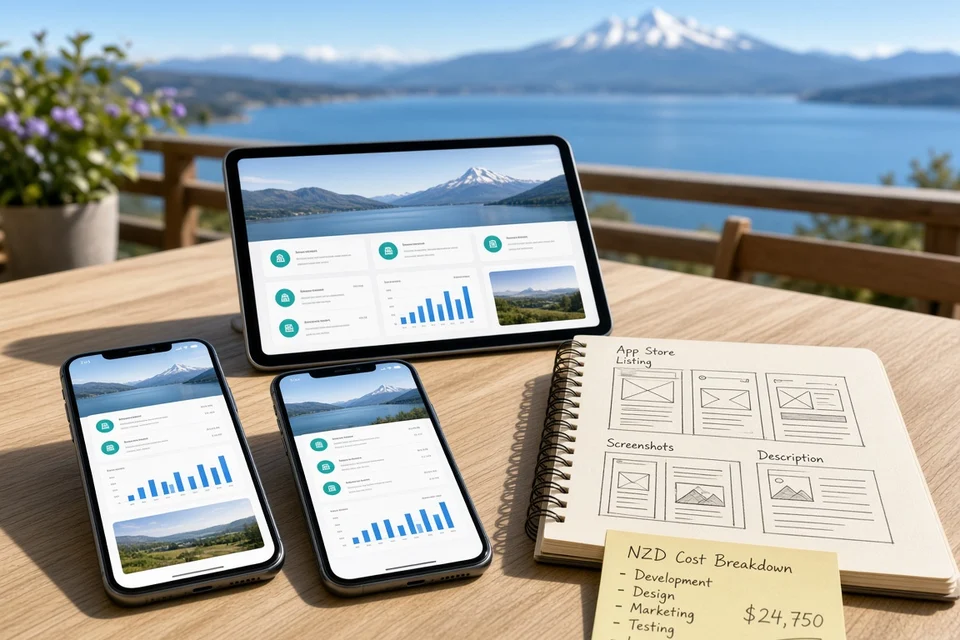
Understanding Apple App Store Publishing Costs and Developer Fees
Publishing an iOS application involves more than development expenses. Businesses must account for Apple's developer membership, applicable App Store commissions, and any services required to distribute and maintain the app.
Key Apple App Store Costs
| Cost Component | Indicative Cost | What It Covers |
|---|---|---|
| Apple Developer Program | US$99 per year | App distribution, development tools, and membership benefits |
| App Store Commission | Typically 15% or 30% for applicable digital transactions | Apple's commission on eligible sales and in-app purchases |
| App Store Listing Preparation | Depends on development scope | Screenshots, descriptions, previews, and store metadata |
| App Testing and Submission | Depends on project scope | Compatibility checks, release preparation, and submission support |
| Backend and Hosting | Usage-dependent | APIs, databases, storage, and application services |
Understanding the Apple Developer Fee
The Apple Developer Program generally costs US$99 annually. Organisations and individuals can enrol, subject to Apple's eligibility requirements. The membership supports access to distribution tools and the ability to publish applications through the App Store.
How App Store Commissions Affect Your Budget
For eligible digital goods and services, Apple's standard commission is generally 30%, with a 15% rate available in certain circumstances, such as qualifying developers or subscriptions meeting applicable criteria. Different rules may apply to physical goods, regional storefronts, and specific programmes.
Businesses should identify which transactions are subject to Apple's payment rules before finalising their monetisation strategy.
Additional Publishing Considerations
A successful submission requires more than paying the membership fee. Developers must prepare app metadata, meet Apple's review guidelines, provide appropriate privacy disclosures, and test the application before release.
Major Factors Affecting the Total Cost of iOS App Development
The final iOS app development cost in New Zealand depends on more than the app's core features. Design decisions, technical requirements, integrations, and long-term business goals can all influence the overall budget.
1. App Features and Functionality
Simple apps with basic screens and limited functionality generally cost less than applications with real-time updates, user dashboards, payment systems, chat, or AI-powered capabilities. Each additional feature requires implementation, testing, and ongoing support.
2. UI/UX Design Complexity
Custom interfaces, animations, interactive elements, and accessibility improvements require additional design and development effort. A consistent user experience across different Apple devices can also increase the time needed for design and testing.
3. Backend Development and Integrations
Apps that require user authentication, cloud databases, payment gateways, GPS, or third-party APIs need additional backend work. Integrating with existing business systems can further increase development time and cost.
4. Security and Data Protection
Applications that handle personal, financial, or other sensitive information may require stronger authentication, encryption, access controls, and security testing. These requirements are particularly important for apps operating in regulated industries.
5. Development Team and Expertise
Project costs depend on the team's experience, hourly rates, location, and engagement model. Working with a mobile app development company may provide access to designers, iOS developers, backend specialists, and QA engineers within one coordinated team.
6. Testing and Device Compatibility
Testing across supported iPhone and iPad models, iOS versions, screen sizes, and network conditions helps identify problems before launch. Apps with complex workflows or integrations usually require more extensive testing.
7. Future Scalability
An app designed to support more users, additional features, or new integrations may require greater initial architectural planning. Investing in maintainable code and suitable infrastructure can reduce the risk of expensive redevelopment as the product grows.
Considering these factors early helps businesses define a realistic scope, prioritise essential features, and obtain more accurate development estimates.
iOS App Development Budget Breakdown by Feature and Component
Understanding where the budget goes helps businesses estimate the resources required to build an iOS application. The cost of each component depends on the app's complexity, technical requirements, and the level of customisation involved.
| Development Component | Estimated Cost (NZD) | Typical Work Included |
|---|---|---|
| Research and Planning | 1,000–4,000 | Market research, requirements, and feature planning |
| UI/UX Design | 2,000–8,000 | Wireframes, prototypes, and interface design |
| iOS App Development | 5,000–25,000 | Frontend development and core functionality |
| Backend Development | 3,000–15,000 | APIs, databases, authentication, and business logic |
| Third-Party Integrations | 1,500–8,000 | Payment gateways, maps, analytics, and external services |
| Testing and Quality Assurance | 2,000–7,000 | Functional, usability, security, and compatibility testing |
| Deployment and Launch | 500–3,000 | App Store preparation, submission, and release support |
What Influences Each Cost Component?
Research and planning establish the target audience, product requirements, competitors, and technical feasibility before development begins. Thorough planning can help reduce scope changes later.
UI/UX design determines how users navigate the application. Custom designs, prototypes, animations, and accessibility requirements can increase the investment.
Development and integrations usually account for a substantial share of the budget. Complex business logic, real-time functionality, external APIs, and backend infrastructure require additional engineering effort.
Testing and deployment help ensure the app works reliably across supported devices and meets Apple's submission requirements. Skipping these activities can lead to defects, rejection, or expensive fixes after launch.
Businesses should also reserve funds for post-launch updates, infrastructure usage, and support. When evaluating iOS app development in New Zealand, comparing deliverables and estimated hours alongside the quoted price provides a clearer picture of the total investment.
Native iOS Development vs Cross-Platform Development
Choosing between native iOS development and cross-platform development can affect the initial budget, development timeline, and long-term maintenance requirements. The right approach depends on your target audience, app functionality, and plans for future expansion.
| Development Approach | Estimated Cost (NZD) | Timeline | Best Suited For |
|---|---|---|---|
| Basic Native iOS App | 7,000–20,000 | 1–3 months | Apps focused exclusively on Apple devices |
| Advanced Native iOS App | 20,000–60,000+ | 3–7 months | Apps requiring specialised iOS functionality |
| Cross-Platform App | 15,000–50,000 | 2–5 months | Businesses targeting iOS and Android |
| Complex Cross-Platform App | 40,000–80,000+ | 4–8+ months | Apps with advanced features and integrations |
Native iOS Development
Native apps are built specifically for Apple's ecosystem, typically using Swift and SwiftUI or UIKit. This approach provides direct access to iOS capabilities and can be suitable for applications requiring specialised performance, complex animations, or deep device integration.
However, if you later decide to launch on Android, a separate Android codebase will generally be required, increasing the overall investment.
Cross-Platform Development
Frameworks such as Flutter and React Native allow developers to share much of the code across iOS and Android. This can reduce duplicated development effort and simplify maintenance when launching on both platforms.
However, platform-specific features, complex integrations, and additional testing may still require native development work.
Which Approach Should You Choose?
- Choose native iOS if your initial product targets Apple users and relies heavily on iOS-specific capabilities.
- Choose cross-platform if you plan to reach both iOS and Android users with a shared codebase.
- Compare long-term costs by considering future updates, platform-specific work, testing, and maintenance rather than focusing only on the initial quote.
A suitable approach balances budget, user experience, technical requirements, and future business goals. A mobile app development company can assess these factors before recommending an architecture that fits your product roadmap.
AI App Development Cost in New Zealand Based on Project Complexity
Adding artificial intelligence to an iOS application can increase development costs because AI features may require model integration, data preparation, backend infrastructure, testing, and ongoing monitoring. The final budget depends on whether the app uses an existing AI service or requires a customised machine learning solution.
| AI Feature Level | Estimated Cost (NZD) | Timeline |
|---|---|---|
| Basic AI Integration | 5,000–12,000 | 2–4 weeks |
| AI Chatbot or Virtual Assistant | 8,000–20,000 | 1–3 months |
| Personalisation and Recommendations | 12,000–30,000 | 2–4 months |
| Custom Machine Learning Features | 25,000–50,000 | 3–6 months |
| Advanced AI-Powered iOS App | 40,000–80,000+ | 4–8+ months |
What Drives AI Development Costs?
- AI model selection: Integrating an existing AI API is generally less expensive than developing and training a specialised model. However, API usage may introduce recurring charges.
- Data preparation: Recommendation engines and predictive features depend on relevant, reliable data. Data collection, cleaning, labelling, and validation can increase project costs.
- Backend integration: AI features may require secure APIs, databases, cloud services, and processing pipelines to connect model outputs with the iOS interface.
- Testing and accuracy: AI-generated responses and predictions need evaluation against realistic scenarios. Applications used in sensitive contexts may require additional safeguards and human oversight.
- Ongoing operating expenses: Model usage, cloud hosting, monitoring, and model updates can add to the long-term budget.
For a more accurate estimate, businesses should define the AI use case before development begins. Reviewing the AI App Development Cost in New Zealand alongside the core iOS budget helps clarify whether the proposed functionality fits the available investment.
Step-by-Step iOS App Development Process in Stages
Building a successful iOS application requires a structured process that covers research, planning, development, testing, and post-launch improvements. Following these stages helps businesses manage costs, reduce avoidable rework, and deliver an app that meets user expectations.
- Market Research and Competitor Analysis — Research the target audience, competitors, user expectations, and market demand. Identify the problem your app will solve and assess whether the idea is technically and commercially viable.
- Requirements Gathering and Planning — Define the app's objectives, core features, target devices, integrations, budget, and delivery timeline. Prioritise essential functionality for the first release and document the project's requirements.
- UI/UX Design and Prototyping — Create wireframes, user journeys, interface designs, and interactive prototypes. Test the proposed experience early to identify usability issues before development begins.
- Technology Selection and Architecture — Choose suitable technologies, such as Swift and SwiftUI for native iOS development, and define the backend, database, APIs, authentication, and hosting requirements.
- App Development — Develop the application's interface, core functionality, backend services, and required integrations. Work in manageable iterations so stakeholders can review progress and provide feedback.
- Third-Party Integration — Connect necessary services such as payment gateways, maps, analytics, notifications, or AI APIs. Validate data exchange, error handling, and security permissions for each integration.
- Testing and Quality Assurance — Conduct functional, usability, performance, security, and device-compatibility testing. Resolve identified issues and verify that critical workflows operate reliably.
- App Store Submission and Launch — Prepare screenshots, descriptions, privacy disclosures, and other required listing information. Submit the app for Apple's review, address any rejection issues, and coordinate the release.
- Maintenance and Continuous Improvement — Monitor performance, fix bugs, update dependencies, and adapt the app to new iOS versions. Use analytics and user feedback to prioritise future improvements.
A clear development process helps teams control scope and make informed decisions throughout the project. When you hire mobile app developers in New Zealand, ensure the engagement includes research, quality assurance, release preparation, and post-launch support, not just coding.
Ongoing iOS App Maintenance and Hidden Costs to Consider
Launching an iOS app is only the beginning of its lifecycle. Businesses should budget for ongoing maintenance, infrastructure, third-party services, and updates to keep the application secure, reliable, and compatible with evolving Apple technologies.
Common Ongoing Expenses
| Expense Category | Indicative Cost (NZD) | Frequency |
|---|---|---|
| App Maintenance and Bug Fixes | 2,000–10,000 | Annually |
| Feature Updates and Enhancements | 2,000–15,000+ | As required |
| Cloud Hosting and Backend Services | 50–1,000+ | Monthly |
| Third-Party API Subscriptions | 50–500+ | Monthly |
| Security Monitoring and Updates | 1,000–5,000 | Annually |
| Apple Developer Program Membership | US$99 | Annually |
Costs Businesses Should Plan For
- Compatibility updates: New iOS releases and device changes may require code adjustments, regression testing, and interface refinements.
- Infrastructure and API usage: Apps that rely on cloud databases, maps, messaging, payments, or AI services may incur recurring charges based on usage and provider pricing.
- Security and privacy: Regular dependency updates, vulnerability checks, access-control reviews, and privacy-related changes help protect user data.
- Feature improvements: User feedback and changing business needs may require new functionality, design improvements, or additional integrations.
- Technical support: Monitoring, troubleshooting, backups, and incident response may require ongoing developer or support-team involvement.
How to Budget for Maintenance
As an initial planning guideline, businesses can reserve around 15–25% of the original development cost annually for maintenance and routine improvements. This is a budgeting estimate rather than a universal industry rate; apps with complex infrastructure or frequent feature releases may require more.
Planning these expenses from the beginning helps businesses understand the full cost of ownership instead of focusing solely on the initial development quote. For ongoing support options, see our guide to mobile app maintenance in New Zealand.
How to Plan an iOS App Development Budget for Your Business
A realistic iOS app budget should cover the entire product lifecycle, from initial research to post-launch maintenance. Planning expenses in advance helps businesses prioritise essential features, manage risks, and avoid unexpected spending.
1. Define Your Minimum Viable Product
Start with the core features required to solve the main user problem. Additional features, advanced integrations, and complex customisation can be introduced after the initial version has been tested with real users.
2. Set a Clear Budget Allocation
Divide the available budget across research, design, development, testing, deployment, and maintenance. Keep a contingency reserve for unexpected technical challenges or scope changes.
3. Compare Development Proposals
Request detailed estimates from a suitable iOS app development company in New Zealand. Compare deliverables, team expertise, estimated hours, testing procedures, and post-launch support rather than choosing a provider based only on price.
4. Account for Recurring Expenses
Include Apple Developer Program membership, cloud hosting, third-party subscriptions, security updates, and ongoing maintenance. Apps with AI capabilities or high user activity may also incur additional usage-based costs.
5. Plan for Future Growth
Choose an architecture that supports future enhancements without requiring a complete rebuild. Scalability should be balanced against current needs so you do not overinvest in infrastructure before the product gains traction.
6. Track Spending Throughout Development
Use milestone-based payments, regular progress reviews, and documented change requests to monitor costs. Review the budget whenever requirements change so that new features do not create unplanned expenses.
A well-structured budget balances initial development costs with long-term operational needs. By defining priorities early and reviewing estimates carefully, businesses can make informed investment decisions and build an iOS app that supports their goals.
Conclusion
The iOS app development cost in New Zealand depends on the application's complexity, design requirements, integrations, development approach, and long-term maintenance needs. A basic app may require a relatively modest investment, while an enterprise-grade or AI-powered application can demand a substantially larger budget.
Beyond development expenses, businesses should account for Apple Developer Program membership, hosting, third-party services, testing, security updates, and ongoing improvements. Planning these costs early helps prevent budget overruns and supports more informed decisions.
By defining clear requirements, prioritising essential features, and selecting an appropriate technology stack, businesses can build an iOS application that meets user expectations while remaining financially sustainable. A well-planned development strategy also creates a foundation for future enhancements and business growth.
Frequently Asked Questions
1. How much does iOS app development cost in New Zealand?
A custom iOS app may cost around NZD 7,000–90,000+, depending on its complexity and features.
2. How long does it take to build an iOS app?
Development typically takes 1–10 months or longer, depending on project scope.
3. What is Apple's Developer Program fee?
Apple's Developer Program generally costs US$99 per year.
4. Is native iOS development more expensive?
It can be, especially when separate apps are needed for iOS and Android.
5. Can AI features increase app development costs?
Yes. AI integrations, data preparation, testing, and ongoing API usage can increase costs.
6. What affects iOS app development pricing?
Features, UI/UX design, integrations, security, testing, and developer rates influence pricing.
7. Are there ongoing iOS app maintenance costs?
Yes. Businesses should budget for updates, bug fixes, hosting, security, and support.
8. How can I reduce iOS app development costs?
Start with an MVP, prioritise essential features, and plan integrations before development.