
Key Takeaways
- Development costs vary: Android apps in New Zealand may cost approximately 8,000–90,000+ USD, depending on complexity and features.
- Features influence budgets: Custom functionality, integrations, security, and real-time capabilities can increase development costs.
- Technology choices matter: Native Android and cross-platform development offer different trade-offs in performance, cost, and maintenance.
- Plan for ongoing expenses: Hosting, API fees, updates, and technical support should be included in the budget.
- Prioritise long-term value: Research, careful planning, and a reliable development team help control costs and support future growth.
Android apps help businesses reach customers, streamline operations, and offer digital services across smartphones and tablets. In New Zealand, the cost of building an Android app depends on its features, design, integrations, security requirements, and development approach.
A simple app with basic functionality generally costs less than a platform requiring real-time updates, payment processing, AI features, or complex backend systems. The choice between native Android and cross-platform development can also affect the initial budget and ongoing maintenance.
Understanding these cost factors helps businesses estimate their investment, prioritise essential features, and plan a realistic development timeline. For a broader product overview, see our guide to Android app development in New Zealand.
Android App Development Cost Breakdown for Simple, Medium, and Complex Apps
The Android app development cost in New Zealand typically ranges from $8,000 to $90,000+ USD, depending on functionality, design complexity, integrations, and scalability requirements.
| App Complexity | Estimated Cost (USD) | Development Timeline |
|---|---|---|
| Basic Android App | 8,000–20,000 | 1–3 months |
| Mid-Level Android App | 20,000–40,000 | 3–5 months |
| Advanced Android App | 40,000–65,000 | 5–7 months |
| Enterprise Android App | 65,000–90,000+ | 7–10+ months |
What Does Each Budget Cover?
- Basic apps: Essential screens, user registration, simple content, and basic functionality.
- Mid-level apps: API integrations, user profiles, notifications, and database-driven features.
- Advanced apps: Real-time functionality, payment gateways, analytics, and complex workflows.
- Enterprise apps: Extensive integrations, advanced security, multi-user roles, and scalable infrastructure.
Businesses comparing the mobile app development cost in New Zealand should also consider ongoing hosting, third-party service fees, updates, and maintenance, not just the initial development quote.
Defining core features before development helps establish a realistic budget and reduces the risk of unexpected expenses.
What Influences the Cost of Building an Android App?
Several factors determine the final Android app development budget in New Zealand. Understanding them helps businesses prioritise features and avoid unnecessary expenses.
1. Features and Functionality
Basic screens and registration require less effort than real-time messaging, AI recommendations, payment processing, or advanced dashboards.
2. UI/UX Design
Custom interfaces, animations, accessibility requirements, and extensive user testing can increase design costs.
3. Backend and API Integrations
Apps requiring databases, authentication, payment gateways, maps, or third-party services need additional backend development and integration testing.
4. Development Approach
Native Android development offers platform-specific control, while cross-platform frameworks can reduce duplicated work when targeting multiple platforms.
5. Security and Compliance
Encryption, secure authentication, access controls, and industry-specific requirements can increase development and testing effort.
6. Testing and Device Compatibility
Testing across Android versions, screen sizes, and device capabilities helps ensure consistent performance and reliability.
7. Scalability and Maintenance
Expected user traffic, infrastructure needs, ongoing updates, and technical support affect the long-term budget.
Businesses planning Android App Development in New Zealand should assess these factors before finalising their scope. A clear feature list and prioritised MVP can help control costs while leaving room for future improvements.
Android App Development Cost Breakdown by Component
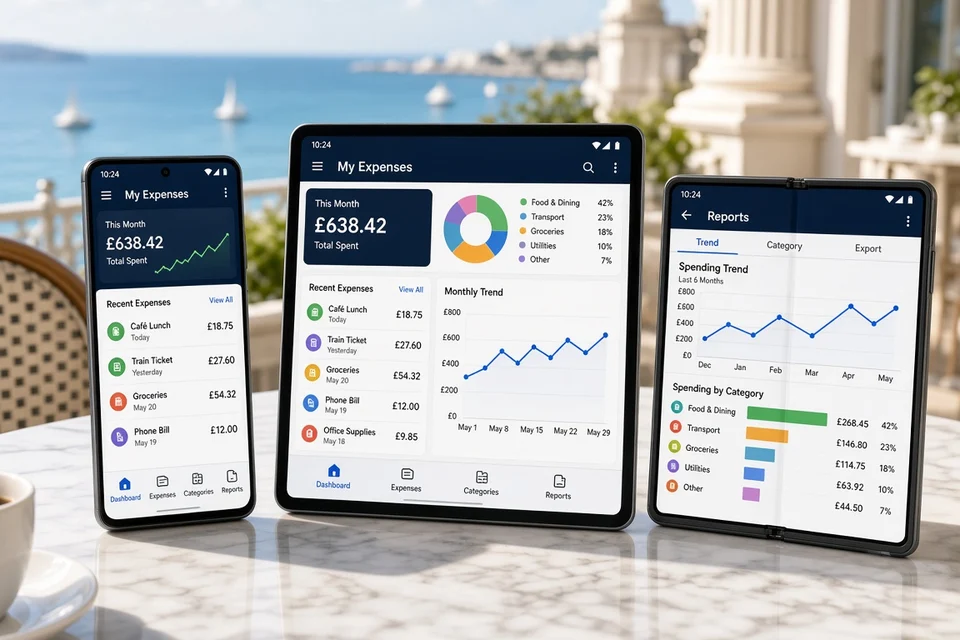
An Android app budget includes several components beyond coding. Understanding the estimated cost of each area helps businesses allocate resources effectively.
| Development Component | Estimated Cost (USD) |
|---|---|
| Research and planning | 500–3,000 |
| UI/UX design | 1,000–6,000 |
| Android frontend development | 2,000–15,000 |
| Backend and database | 2,000–20,000 |
| API and third-party integrations | 1,000–10,000 |
| Testing and quality assurance | 1,000–7,000 |
| Deployment and launch | 500–3,000 |
Planning Beyond Initial Development
The overall software development cost in New Zealand depends on the team's rates, technical complexity, and required deliverables. Businesses should also budget for cloud hosting, third-party subscriptions, security updates, and post-launch improvements.
Native Android vs Cross-Platform Development: Which Is More Cost-Effective?
The development approach affects the initial budget, performance, and long-term maintenance of an app. Businesses should choose based on their target audience, technical requirements, and future expansion plans.
| Development Approach | Estimated Cost (USD) | Best Suited For |
|---|---|---|
| Native Android | 8,000–60,000+ | Android-specific features and platform optimisation |
| Cross-platform | 12,000–70,000+ | Apps targeting Android and iOS with shared code |
| Enterprise native app | 50,000–90,000+ | Complex workflows and specialised requirements |
Native Android Development
Native development typically uses Kotlin or Java. It offers direct access to Android capabilities and greater platform-specific control, but a separate iOS app requires additional development effort.
Cross-Platform Development
Frameworks such as Flutter and React Native allow teams to share much of the code across Android and iOS. This can reduce duplicated work, although some platform-specific features still require separate implementation. Related pricing guides also cover Flutter app development cost and iOS app development cost.
Which Option Should You Choose?
Choose native development when Android-specific functionality or optimisation is essential. Consider cross-platform development when launching on multiple platforms with a shared codebase is a priority.
Android App Development Process: From Research to Launch
A successful Android app requires more than writing code. A structured development process helps businesses validate their idea, define requirements, control costs, and deliver a reliable product that meets user expectations.
Step 1: Market Research and Business Analysis
Start by researching the target audience, competitors, market demand, and existing solutions. Identify the problem the app will solve and evaluate whether the idea is commercially viable. This stage helps establish clear goals before development spending begins.
Step 2: Requirements Gathering and Feature Planning
Document the app's essential features, user roles, business workflows, and technical requirements. Separate must-have features from future enhancements to define a realistic minimum viable product (MVP).
Step 3: Technical Feasibility and Architecture
Select the development approach, backend architecture, database, APIs, and hosting environment. Assess Android device compatibility, expected user traffic, security needs, and third-party dependencies before finalising the technical plan.
Step 4: UI/UX Design and Prototyping
Create wireframes, screen layouts, and interactive prototypes to demonstrate how users will navigate the app. Test the proposed design with representative users and refine confusing workflows before development begins.
Step 5: Frontend and Backend Development
Develop the Android interface and connect it to backend services, databases, authentication, and required APIs. Build features in manageable stages, using version control and regular code reviews to maintain quality.
Step 6: API Integration and Security Implementation
Integrate services such as payment gateways, maps, notifications, or analytics where required. Implement secure authentication, encryption, access permissions, and appropriate data-handling controls throughout the application.
Step 7: Testing and Quality Assurance
Test core features, device compatibility, performance, usability, and security. Resolve bugs, verify API responses, and conduct load testing where necessary. User acceptance testing helps confirm that the app meets its original requirements.
Step 8: Deployment and Google Play Launch
Prepare the production build, app listing, screenshots, privacy disclosures, and required declarations. Complete Google Play's applicable review and policy requirements, then release the app and monitor its initial performance.
Step 9: Post-Launch Monitoring and Improvements
Track crashes, user feedback, engagement, and feature usage after launch. Fix issues, release updates, and improve functionality based on actual user behaviour and changing business requirements.
Businesses planning mobile app maintenance in New Zealand should budget for ongoing technical support, compatibility updates, security patches, and infrastructure monitoring.
Following these nine stages helps keep development organised, reduces avoidable rework, and provides clear checkpoints for managing project scope, budget, and delivery timelines.
Essential Tools and Technologies for Building Android Applications
Choosing the right technology stack affects development costs, app performance, security, and future scalability. The following technologies are commonly used to build Android applications, with indicative implementation costs in USD.
| Technology Layer | Common Technologies | Purpose | Estimated Cost (USD) |
|---|---|---|---|
| Android Development | Kotlin, Java | Native app functionality | 2,000–15,000 |
| Cross-Platform Development | Flutter, React Native | Shared code for Android and iOS | 3,000–20,000 |
| UI/UX Design | Figma, Adobe XD | Interface design and prototyping | 1,000–6,000 |
| Backend Development | Node.js, Python, Java | APIs, business logic, and authentication | 2,000–20,000 |
| Database | PostgreSQL, MySQL, Firebase | Store and manage application data | 500–5,000 |
| Cloud Infrastructure | AWS, Microsoft Azure, Google Cloud | Hosting, storage, and scaling | 500–5,000 |
| Payment Integration | Stripe, Razorpay, PayPal | Payments, refunds, and transaction handling | 500–3,000 |
| Maps and Location | Google Maps Platform, Mapbox | Maps, geolocation, and navigation | 500–3,000 |
| Notifications | Firebase Cloud Messaging, Twilio | Push notifications and messaging | 300–2,000 |
| Testing and Monitoring | Appium, Firebase Crashlytics | Quality assurance and crash monitoring | 1,000–7,000 |
How to Select the Right Stack
- For an MVP: Use Kotlin or Flutter with managed backend services to reduce initial complexity.
- For data-intensive apps: Choose a reliable database and scalable backend architecture.
- For payment-enabled apps: Integrate established payment providers and validate transaction security.
- For enterprise apps: Prioritise access controls, monitoring, backups, and integration reliability.
Businesses planning Android app development in New Zealand should choose technologies based on their project requirements, in-house expertise, and long-term operating budget rather than popularity alone.
Hidden Android App Development Costs and Ongoing Maintenance Expenses
The initial development budget is only part of the total investment required to operate an Android application. Businesses in New Zealand should also plan for recurring expenses that keep the app secure, compatible, and reliable after launch.
| Ongoing Expense | Estimated Cost (USD) | What It Covers |
|---|---|---|
| Cloud hosting and storage | 50–1,000+/month | Servers, databases, backups, and data storage |
| Third-party APIs and services | 50–500+/month | Maps, payment services, messaging, and other integrations |
| Security updates | 500–3,000/year | Vulnerability fixes, dependency updates, and security reviews |
| Compatibility updates | 500–3,000/year | Adjustments for new Android versions and devices |
| Technical support | 500–3,000+/month | Bug fixes, issue resolution, and performance monitoring |
| Feature improvements | 1,000–10,000+/year | Enhancements based on user feedback and business needs |
Why Maintenance Matters
Regular maintenance helps prevent compatibility issues, improve security, and maintain a consistent user experience. Businesses should also monitor crashes, loading times, API performance, and user feedback to identify problems before they affect more customers.
Planning for mobile app maintenance in New Zealand from the beginning can help businesses manage recurring costs instead of treating maintenance as an unexpected expense. A clear support agreement and a dedicated maintenance budget also make it easier to schedule updates and future improvements.
How to Plan an Android App Development Budget in New Zealand
A realistic budget starts with clear business goals, a defined feature list, and an understanding of the resources needed to build and maintain the application. Careful planning helps businesses control spending while leaving room for future improvements.
Steps to Build a Practical Budget
- Define the app's purpose: Identify the target audience, core problem, and business objectives.
- Prioritise essential features: Focus on the functionality needed for the initial launch and postpone non-essential additions.
- Choose the development approach: Compare native Android development with cross-platform options based on performance, compatibility, and budget.
- Estimate development resources: Account for UI/UX design, development, integrations, testing, and project management.
- Include ongoing expenses: Budget for hosting, third-party services, security updates, technical support, and maintenance.
- Set aside a contingency: Reserve approximately 10–20% of the estimated project budget for unexpected requirements or technical challenges.
- Plan future expansion: Consider how the app may need to support additional users, features, integrations, or markets.
Choosing the Right Development Team
When you hire mobile app developers in New Zealand, assess their technical experience, communication process, testing practices, and post-launch support. Compare proposals based on deliverables and estimated effort rather than price alone.
An experienced Android app development company in New Zealand can help turn business requirements into a phased development plan, making it easier to understand costs before committing to the full project.
The goal is to build a reliable application that meets current business needs while remaining flexible enough to grow as user expectations and market demands change.
Conclusion
Android app development in New Zealand can cost anywhere from approximately $8,000 to $90,000+ USD, depending on the app's complexity, design requirements, integrations, security needs, and development approach. Basic applications generally require a smaller investment, while feature-rich and enterprise solutions need more time, technical resources, and ongoing support.
Businesses can manage costs by prioritising essential features, choosing suitable technologies, conducting thorough research, and planning for maintenance from the beginning. Comparing project proposals and setting a realistic budget also helps prevent unexpected expenses.
Ultimately, successful Android app development is about balancing affordability, functionality, and long-term reliability. With a clear roadmap and the right development team, businesses can build an application that meets user expectations and supports sustainable growth.
Frequently Asked Questions
1. How much does Android app development cost in New Zealand?
A custom Android app may cost around 8,000–90,000+ USD, depending on features, integrations, and complexity.
2. How long does it take to build an Android app?
A basic app may take 1–3 months, while advanced projects can take 5–10 months or longer.
3. What factors affect Android app development costs?
Feature complexity, UI/UX design, backend development, integrations, testing, security, and maintenance all influence the budget.
4. Is native Android development more expensive than cross-platform development?
Native development can cost more when separate platform-specific solutions are needed. Cross-platform frameworks may reduce duplicated work, depending on the app's requirements.
5. What technologies are commonly used for Android apps?
Common choices include Kotlin, Java, Flutter, React Native, Node.js, PostgreSQL, and cloud platforms.
6. What ongoing costs should businesses consider?
Businesses should budget for hosting, API usage, security updates, bug fixes, compatibility improvements, and technical support.
7. Can I start with a minimum viable product (MVP)?
Yes. An MVP focuses on essential features, allowing businesses to test the idea before investing in a larger application.
8. How can I reduce Android app development costs?
Prioritise core features, choose suitable technologies, use managed services where practical, and plan maintenance early.