

Key Takeaways
- Cross-platform development: Flutter supports iOS and Android apps through a largely shared codebase.
- Broad business applications: It can serve industries such as healthcare, retail, fintech, and logistics.
- Cost depends on scope: features, integrations, design, and testing influence the final budget.
- Structured development matters: research, planning, design, development, and testing help improve delivery quality.
- Maintenance supports growth: Regular updates and monitoring help keep applications secure, compatible, and reliable.
Flutter app development is becoming a practical option for businesses in New Zealand that want to build mobile applications for both iOS and Android without maintaining entirely separate codebases. Google's Flutter framework uses a shared codebase to support multiple platforms, helping teams streamline development and maintain a consistent user experience.
From startups launching their first product to established businesses modernising digital services, Flutter can support applications for retail, healthcare, finance, logistics, and other industries. Its widget-based interface and hot reload functionality also help developers build and refine user experiences efficiently.
However, successful development requires more than choosing a framework. Businesses need clear requirements, suitable architecture, secure integrations, and a reliable maintenance plan to deliver an application that meets user expectations and supports long-term growth.
Why Businesses in New Zealand Are Choosing Flutter for App Development
Businesses are adopting Flutter because it offers a shared development approach for building applications across multiple platforms. This can simplify development planning, reduce duplicated work, and help maintain a consistent experience across devices.
Key Reasons for Adoption
- Shared codebase: Developers can reuse much of the code for iOS and Android applications.
- Faster development cycles: Hot reload helps teams test changes and refine interfaces quickly.
- Consistent UI design: Flutter's widget system supports custom interfaces across platforms.
- Flexible scalability: Applications can evolve as business requirements and user numbers grow.
- Broad platform support: Flutter supports mobile, web, and desktop development, subject to project requirements.
For New Zealand businesses, these capabilities can be useful when launching digital products, modernising customer services, or expanding existing applications to additional platforms.
The framework is not ideal for every project, however. Hardware-intensive applications and features that depend heavily on platform-specific APIs may require native code or additional integration work. For a broader overview of platform options, see our guide to mobile app development in New Zealand.
Practical Use Cases Across Different Industries and Business Sectors
Flutter supports a wide range of business applications, from customer-facing mobile products to internal operational tools. Its suitability depends on the required features, integrations, and performance needs.
| Industry | Example Applications | Business Value |
|---|---|---|
| Healthcare | Appointment booking, telehealth, patient portals | Improves access to digital healthcare services |
| Retail and E-commerce | Shopping apps, loyalty programmes, order tracking | Supports customer engagement and online sales |
| Fintech | Digital wallets, expense tracking, payment interfaces | Simplifies access to financial services |
| Travel and Hospitality | Booking apps, travel guides, reservation management | Streamlines customer journeys |
| Logistics | Delivery tracking, driver apps, fleet dashboards | Improves operational visibility |
| Education | Learning platforms, student portals, course apps | Makes learning resources accessible across devices |
| On-Demand Services | Taxi booking, food delivery, service marketplaces | Connects customers with services through mobile interfaces |
Building Industry-Specific Solutions
Businesses should select features according to their operational requirements rather than adopting a generic application structure. For example, a logistics app may need GPS tracking and real-time status updates, while a healthcare app may prioritise secure records and appointment scheduling.
Working with a Flutter App Development Company in New Zealand can help organisations assess these requirements, choose suitable integrations, and design an application around their users and business objectives.
The most effective Flutter solutions combine reusable components with carefully designed workflows, reliable backend services, and platform-specific functionality where necessary.
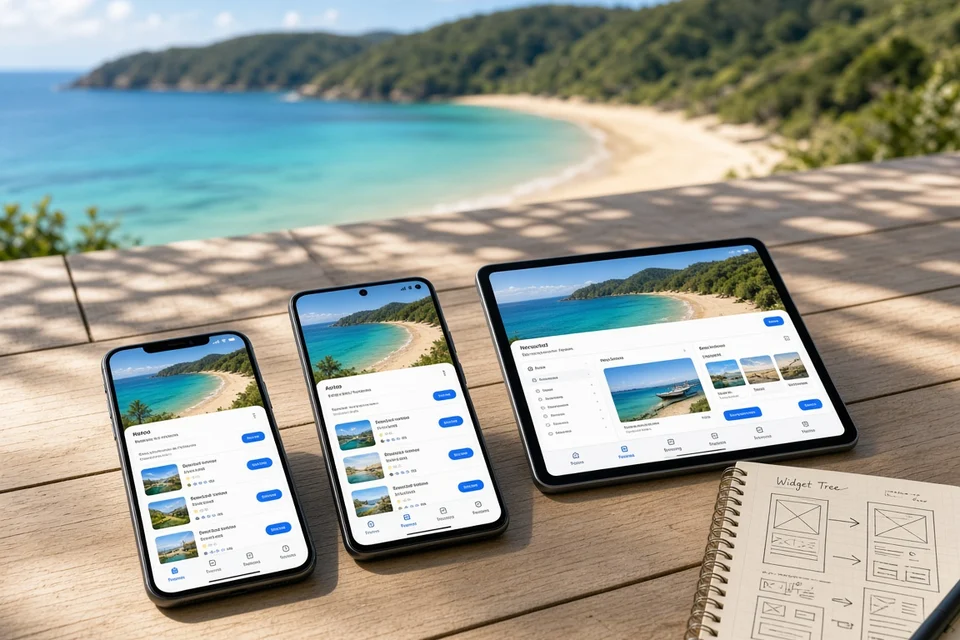
Key Benefits of Flutter App Development for Businesses
Flutter offers several advantages for organisations that want to develop and maintain applications across multiple platforms. The benefits depend on the product's complexity, development team, and technical requirements.
1. Potentially Lower Development Costs
Reusing code across platforms can reduce duplicated implementation work. Businesses should still account for design, testing, integrations, and platform-specific requirements when estimating the overall budget.
2. Faster Prototyping and Iteration
Hot reload allows developers to see many code changes quickly, supporting faster experimentation and feedback during development.
3. Consistent User Experience
Flutter's widget-based approach helps teams maintain a consistent visual design and interaction patterns across supported devices.
Businesses investing in mobile app design in New Zealand can use Flutter's flexible UI components to create interfaces that reflect their brand while keeping navigation and functionality consistent.
4. Simplified Codebase Management
A shared codebase can make feature updates and bug fixes easier to coordinate across platforms, although separate platform-specific code may still be needed.
5. Room for Future Expansion
Flutter supports multiple deployment targets, allowing businesses to consider web or desktop experiences when they fit the product strategy.
6. Integration With Modern Technologies
Flutter applications can connect with cloud services, APIs, analytics platforms, payment systems, and AI-powered backend services. These integrations should be selected according to security, performance, and business needs.
For businesses exploring AI App Development in New Zealand, Flutter can provide the user interface for features such as conversational assistants, personalised recommendations, and intelligent search, while AI processing may run through external services or dedicated backend systems.
Overall, Flutter can offer a productive foundation for cross-platform development, but the right approach should be chosen after evaluating the application's functional and technical requirements.
Flutter vs Native App Development: Key Differences Explained
Choosing between Flutter and native development depends on the application's performance needs, platform-specific features, budget, and long-term roadmap.
| Comparison Factor | Flutter Development | Native Development |
|---|---|---|
| Programming | Primarily Dart | Swift for iOS; Kotlin for Android |
| Code Reuse | Shares much of the code across platforms | Typically maintains separate platform codebases |
| Development Effort | Can reduce duplicated implementation | May require more platform-specific work |
| User Interface | Customisable widgets and consistent styling | Direct access to platform-native UI components |
| Device Features | Uses plugins and platform channels where needed | Direct access to platform APIs |
| Performance | Suitable for many general-purpose apps | Can be advantageous for specialised platform workloads |
| Maintenance | Shared code can simplify common updates | Updates may need separate implementation and testing |
| Best Suited For | Cross-platform products and business apps | Apps requiring deep platform integration or specialised optimisation |
Which Approach Should You Choose?
- Choose Flutter when you want to launch on iOS and Android with a largely shared codebase, consistent interfaces, and efficient feature development.
- Choose native development when the application relies heavily on platform-specific capabilities, specialised device integrations, or performance requirements that justify separate implementations.
- Use a hybrid approach when most features can be shared, but certain functions require native code.
The best choice depends on the product rather than the framework alone. Teams should compare implementation effort, testing requirements, integration complexity, and ongoing maintenance before making a decision. Related guides include iOS app development and Android app development in New Zealand.
Essential Tools and Technologies for Building Flutter Applications
A reliable Flutter application combines the mobile interface with backend services, databases, APIs, security controls, and deployment tools. The technology choices should match the application's functionality, expected usage, and integration requirements.
| Technology Layer | Common Technologies | Purpose |
|---|---|---|
| Frontend | Flutter, Dart | Cross-platform user interfaces and application logic |
| Backend | Node.js, Python, Java, .NET | Business logic, APIs, and data processing |
| Database | PostgreSQL, MySQL, Firebase Firestore | Store user profiles, transactions, and application data |
| Cloud Infrastructure | AWS, Google Cloud, Microsoft Azure | Hosting, storage, scaling, and backups |
| Authentication | Firebase Authentication, OAuth 2.0, OpenID Connect | Secure login and identity management |
| API Integration | REST APIs, GraphQL | Connect external services and backend systems |
| Notifications | Firebase Cloud Messaging, Twilio | Push notifications, SMS, and alerts |
| Payments | Stripe, regional payment gateways | Checkout, payments, and transaction updates |
| Testing | Flutter testing tools, integration tests, device testing | Validate functionality and compatibility |
| Monitoring and Analytics | Firebase Analytics, Crashlytics, Sentry | Track usage, crashes, and application performance |
| CI/CD and Deployment | GitHub Actions, Codemagic, Fastlane | Automate testing, builds, and releases |
Choosing the Right Stack
- For an MVP: Use Flutter with a suitable managed backend to reduce infrastructure setup.
- For complex business applications: Choose backend technologies and databases based on transaction volume, integration needs, and data relationships.
- For secure applications: Implement appropriate authentication, encryption, access controls, and secure API communication.
- For long-term growth: Establish automated testing, monitoring, and release workflows early.
A carefully selected stack helps teams build maintainable applications without adding unnecessary technical complexity.
Flutter App Development Process: 9 Essential Stages from Planning to Launch
Developing a Flutter application involves more than writing code. Businesses need to validate their ideas, plan the architecture, design user-friendly interfaces, test functionality, and prepare for long-term maintenance. Following a structured process helps control costs and deliver a reliable cross-platform application.
1. Market Research and Discovery
Start by researching the target audience, competitors, industry requirements, and potential demand. Identify the problem the app will solve and determine whether Flutter is suitable for the intended features.
Define business objectives, user expectations, project constraints, and measurable success criteria. This discovery stage establishes a clear direction before significant development resources are committed.
2. Requirements and Feature Planning
Translate research findings into functional and technical requirements. List the essential features, user roles, integrations, security needs, and expected application behaviour.
Separate must-have features from enhancements that can be introduced later. This prioritisation helps businesses establish a manageable first release and avoid unnecessary scope expansion during development.
3. UI/UX Design and Prototyping
Create wireframes to map navigation, screen layouts, and user journeys. Develop interactive prototypes to test how users will register, browse content, complete transactions, or perform other core activities.
Design the interface for readability, accessibility, and consistency across different screen sizes. User feedback at this stage can reveal usability issues before they become expensive to fix.
4. Technology and Architecture Planning
Select the technologies needed to support the application, including Flutter, Dart, backend services, databases, cloud infrastructure, and external APIs.
Define the application's architecture, data flows, authentication approach, and integration boundaries. Consider performance, scalability, privacy, and security requirements early so the system can support future improvements without extensive redevelopment.
5. Flutter App Development
Develop the application using reusable widgets, navigation components, state management, and application logic. Implement the planned screens and connect them to the underlying services.
Developers can use Flutter's hot reload capability to test changes quickly during implementation. Platform-specific code may still be necessary for specialised device features or integrations that are not fully supported by existing packages.
6. Backend and API Integration
Connect the Flutter application to backend services that manage business logic, user information, application data, and transactions.
Integrate required services such as authentication, payment gateways, maps, notifications, and analytics. Validate API responses, handle network failures, and implement appropriate error-handling and security controls to ensure reliable communication between systems.
7. Testing and Quality Assurance
Test the application across supported devices, operating systems, screen sizes, and network conditions. Functional testing verifies that features work as expected, while integration testing checks communication between the app and external services.
Also conduct performance, usability, and security testing. Resolve identified defects and validate important user journeys before approving the application for release.
8. Deployment and App Store Release
Prepare production builds and configure the required application settings, signing credentials, analytics, and crash reporting.
Complete the relevant Apple App Store and Google Play submission requirements, including privacy disclosures and permissions. Test the production configuration before launch and monitor the initial release for unexpected errors or performance issues.
9. Maintenance and Continuous Improvement
After launch, monitor application performance, crash reports, user feedback, and feature usage. Address bugs, update dependencies, review security controls, and ensure compatibility with supported operating system versions.
Mobile app maintenance in New Zealand should also account for ongoing technical support, infrastructure monitoring, API changes, and planned feature improvements. Regular maintenance helps keep the application reliable while allowing the product to evolve as user expectations and business requirements change.
Flutter App Development Cost in New Zealand: A Complete Pricing Guide
The cost of developing a Flutter application in New Zealand depends on its features, design complexity, backend requirements, third-party integrations, and testing scope. A simple MVP generally requires less investment than a feature-rich application with advanced security, real-time functionality, or complex business workflows.
| App Complexity | Estimated Cost (NZD) | Development Timeline |
|---|---|---|
| Basic MVP | NZD 8,000–15,000 | 2–3 months |
| Mid-Level Business App | NZD 15,000–35,000 | 3–5 months |
| Advanced Application | NZD 35,000–60,000 | 5–7 months |
| Enterprise Application | NZD 60,000–90,000+ | 7–10+ months |
What Influences the Cost?
- UI/UX design: Custom interfaces, prototypes, and usability testing affect design effort.
- Feature complexity: Payments, real-time tracking, chat, and AI capabilities can increase development work.
- Backend development: APIs, databases, authentication, and business logic add to the budget.
- Third-party integrations: Payment gateways, maps, analytics, and external services may require implementation and recurring fees.
- Testing and deployment: Device testing, security checks, and store submission preparation require dedicated effort.
- Maintenance: Updates, bug fixes, compatibility changes, and monitoring create ongoing expenses.
Businesses evaluating Flutter app development cost in New Zealand should compare the full project scope rather than focusing only on the initial coding estimate. Starting with an MVP and expanding based on user feedback can help manage investment while preserving a foundation for future growth. For wider budgeting context, see mobile app development cost in New Zealand.
| Challenge | Potential Impact | Practical Solution |
|---|---|---|
| Platform-Specific Features | Some device capabilities may require native code | Use supported plugins or platform channels where necessary |
| Third-Party Plugin Dependencies | Outdated or incompatible plugins can disrupt functionality | Evaluate plugin quality and maintain dependencies regularly |
| Complex Integrations | Banking, payment, or legacy APIs can increase implementation effort | Define integration requirements early and test API behaviour thoroughly |
| Performance Optimisation | Poorly designed screens can cause slow rendering or excessive resource use | Profile the app and optimise widgets, assets, and data processing |
| Device Compatibility | Different screen sizes and operating system versions may produce inconsistent behaviour | Test across representative devices and supported configurations |
| Security and Privacy | Weak authentication or data handling can expose sensitive information | Apply secure storage, encryption, access controls, and security testing |
| Scaling and Maintenance | Growing features and dependencies can make the codebase harder to manage | Use modular architecture, automated testing, and regular code reviews |
Maintaining Quality as the App Evolves
Businesses should establish coding standards, automated tests, and continuous integration workflows early in development. These practices help detect defects before release and make updates easier to manage.
Regularly reviewing dependencies, monitoring application performance, and collecting user feedback also helps teams identify issues before they affect a larger user base.
Flutter App Launch, Ongoing Maintenance, and Future Enhancements
Launching a Flutter application is only the beginning. Businesses need to monitor performance, address technical issues, and introduce improvements to keep the app useful and reliable.
Post-Launch Monitoring
Track crashes, response times, feature usage, and user feedback through analytics and monitoring tools. These insights help teams identify problems and prioritise improvements.
Regular Updates and Security
Keep Flutter, Dart, plugins, and backend dependencies updated. Resolve bugs, review permissions, and apply security fixes to maintain compatibility and protect user data.
Feature Enhancements
Use customer feedback and usage data to identify opportunities for improved navigation, new functionality, and more efficient workflows. Introduce changes in manageable releases to reduce disruption.
Scaling Infrastructure
As usage increases, review backend capacity, database performance, API reliability, and cloud resources. Scale infrastructure according to measured demand rather than adding unnecessary complexity.
Long-Term Support
Establish a maintenance plan covering technical support, testing, compatibility updates, and integration changes. This helps the application remain dependable as operating systems and business requirements evolve.
A proactive maintenance strategy protects the initial development investment and supports continued product improvement after launch. Teams can also hire mobile app developers in New Zealand for ongoing Flutter support and enhancements.
Conclusion
Flutter app development offers New Zealand businesses a practical way to build applications for multiple platforms using a largely shared codebase. It can support products across industries, from retail and healthcare to fintech and logistics.
Successful projects begin with market research, clear requirements, thoughtful UI/UX design, and a suitable technology stack. Thorough testing, reliable integrations, and ongoing maintenance are equally important for long-term performance.
By choosing features according to business priorities and planning for future growth, businesses can build Flutter applications that meet user needs while managing development effort and costs.
Frequently Asked Questions
1. What is Flutter app development?
Flutter app development uses Google's framework to build applications for multiple platforms from a shared codebase.
2. How much does Flutter app development cost in New Zealand?
Indicative costs range from NZD 8,000 to NZD 90,000+, depending on complexity and features.
3. How long does it take to build a Flutter app?
A basic app may take 2–3 months, while complex applications can require 7–10 months or longer.
4. Is Flutter suitable for business applications?
Yes. Flutter can support retail, healthcare, fintech, logistics, and other business applications.
5. Can Flutter apps run on iOS and Android?
Yes. Flutter supports both platforms through a largely shared codebase.
6. Is Flutter better than native development?
It depends on the requirements. Flutter can reduce duplicated work, while native development may suit specialised platform needs.
7. Can Flutter integrate with AI services?
Yes. Flutter apps can connect to AI APIs and backend services for features such as chatbots and recommendations.
8. Does a Flutter app require ongoing maintenance?
Yes. Updates, bug fixes, security reviews, dependency management, and compatibility testing help keep the app reliable.